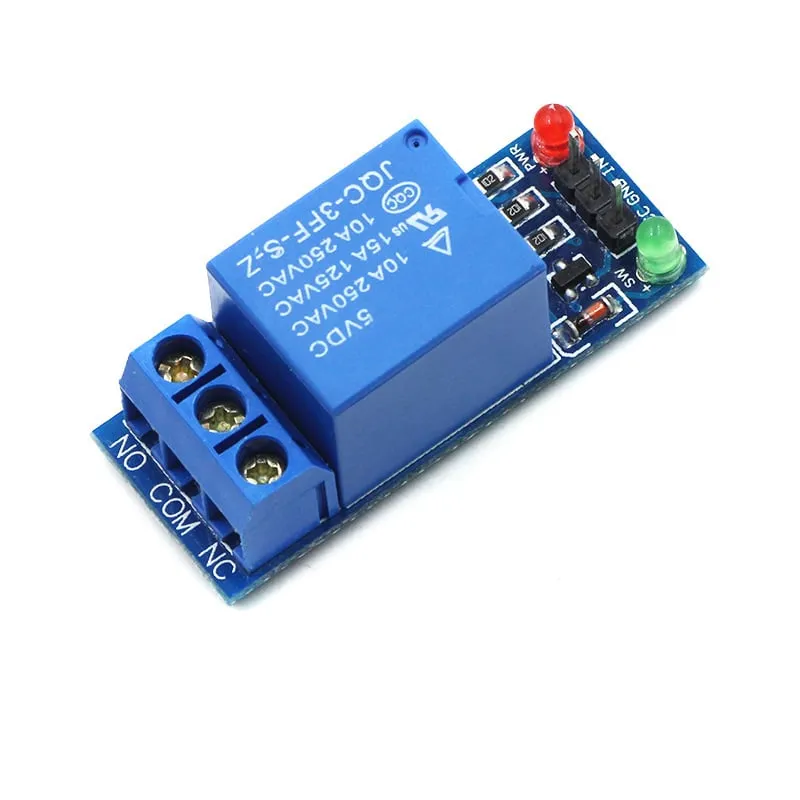
SKU: OT951-C101 Číslo položky: XG648 EAN: 4502076751917

podívejte se zde na Schéma zapojení a ukázkový kód >>>
Hledané výrazy: relais 5v, 5v relais, relay 5v, 5v relay, relais laag, relais low, relay low, blauwe relais, relais blauw, relais 250v, relais 220v, relais 1 kanaal, relais 1-kanaals, relay 1 channel
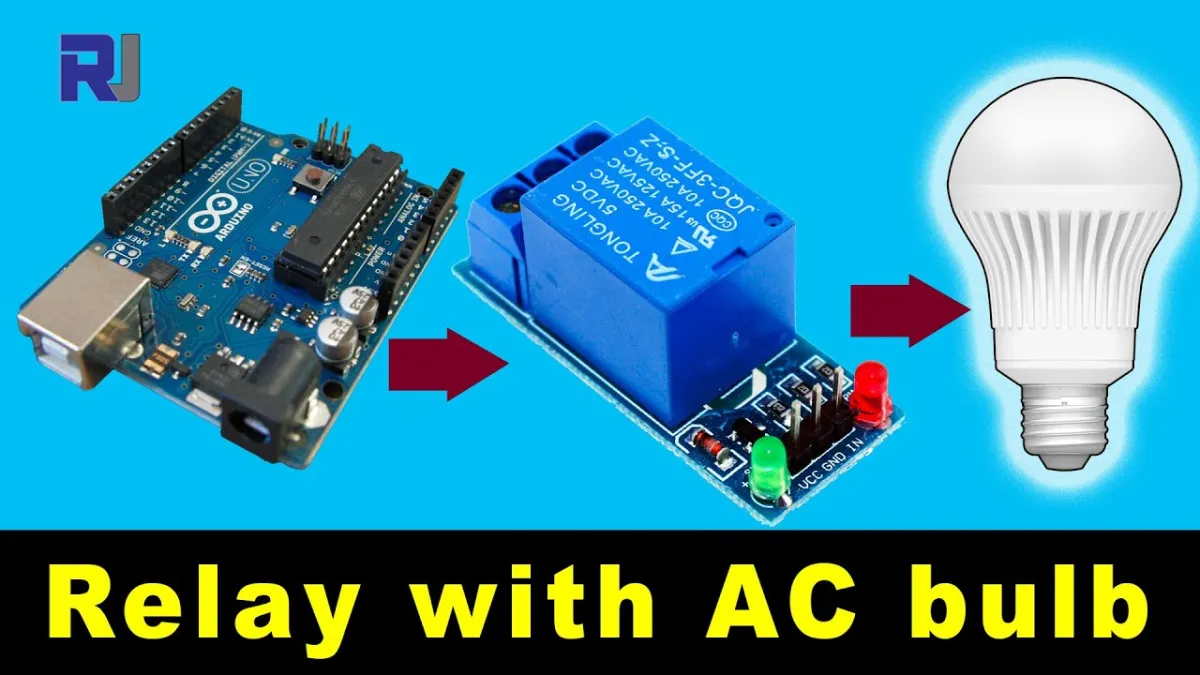
Při přehrání se načte video z YouTube.
Takto připojíš Modul relé 5v Low k Arduino UNO nebo ESP32, s ukázkovým sketchem, který můžeš hned nahrát.
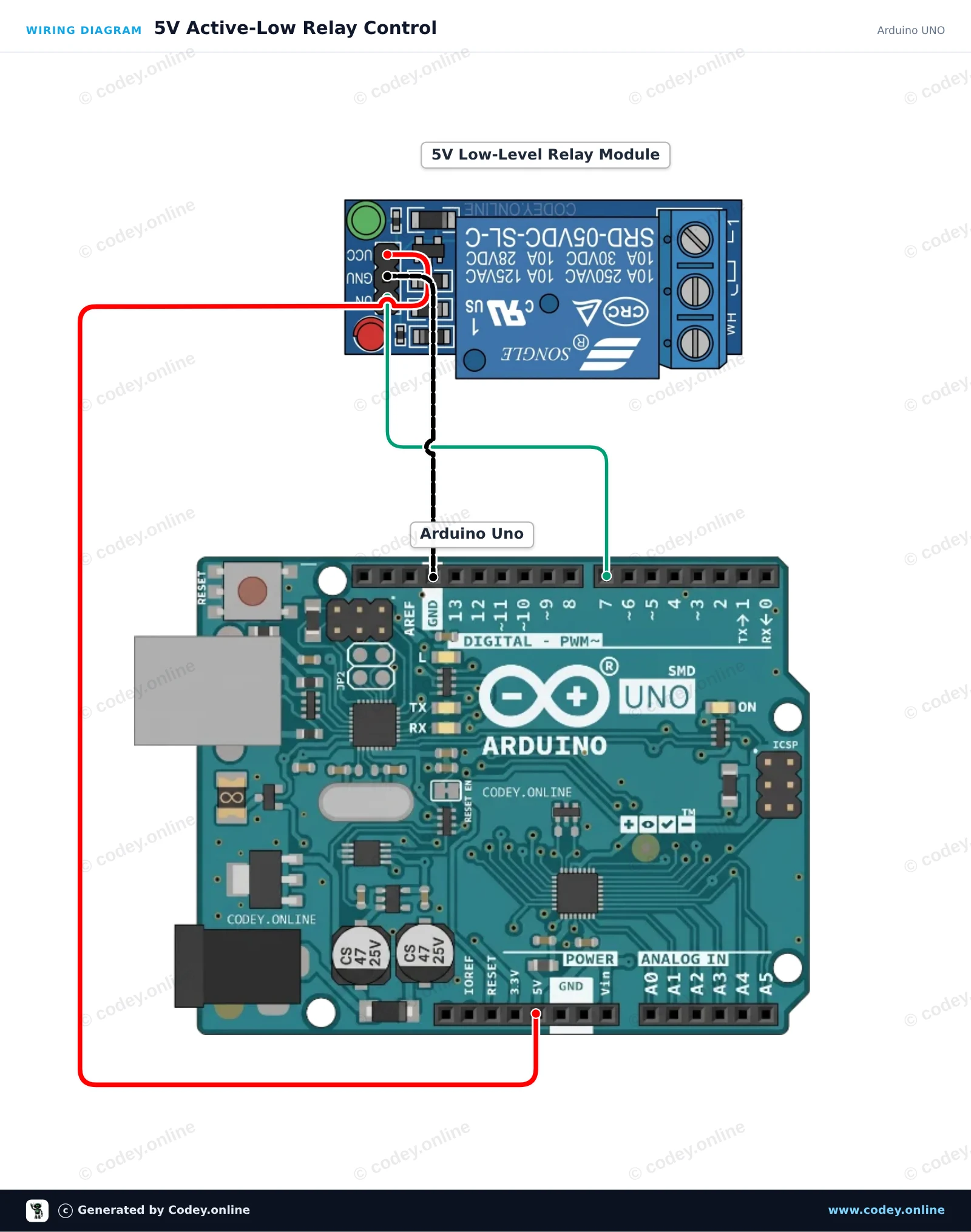
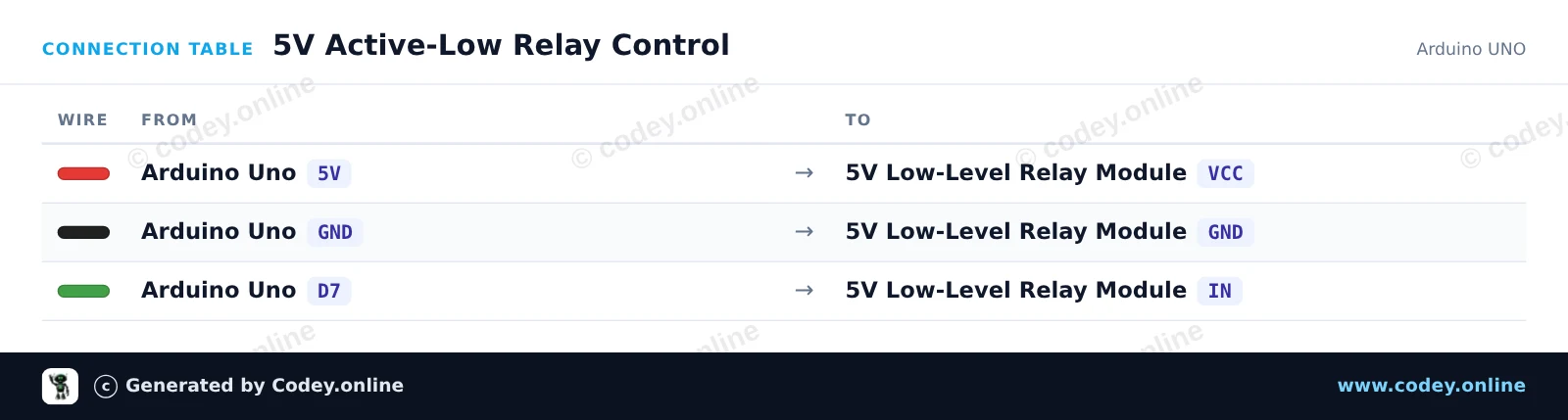
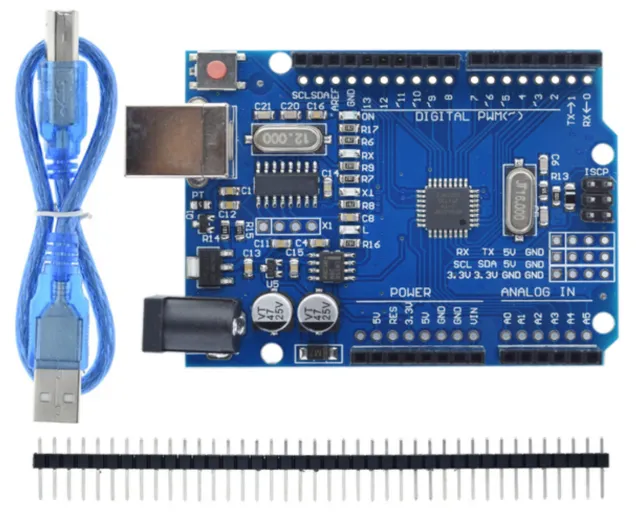
Tento projekt ukazuje, jak ovládat 5V active-low relé modul pomocí Arduino Uno. Sketch přepíná relé ON a OFF každé dvě sekundy a zároveň vypisuje aktuální stav do Serial Monitoru. Protože jde o active-low modul, nastavení řídicího pinu na LOW relé aktivuje a nastavení na HIGH ho deaktivuje.
/*
 * ==================================================================
 *  Generated by Codey.online  —  https://www.codey.online
 * ==================================================================
 *  Project   : 5V Active-Low Relay Control
 *  Board     : Arduino UNO (arduino:avr:uno)
 *  Parts     : Relais Module 5v Low
 *  Libraries : none (built-in)
 *
 *  Codey Online is an AI-powered browser IDE for Arduino and ESP32.
 *  Describe your project and Codey writes the code, draws the wiring
 *  diagram and uploads it to your board, straight from the browser.
 *  This code is free to use, modify and share, without warranty.
 * ==================================================================
 */

// Pin configuration
const int relayPin = 7;

void setup() {
  // Set the relay pin as output
  pinMode(relayPin, OUTPUT);

  // Active-low relay: default to OFF (HIGH state)
  digitalWrite(relayPin, HIGH);

  Serial.begin(115200);
  while (!Serial) {
    ; // Wait for serial port to connect
  }

  Serial.println(F("5V Relay Module Demo Started"));
  Serial.println(F("Relay will toggle every 2 seconds."));
}

void loop() {
  // Turn relay ON (active LOW)
  Serial.println(F("Relay: ON"));
  digitalWrite(relayPin, LOW);
  delay(2000);

  // Turn relay OFF (HIGH)
  Serial.println(F("Relay: OFF"));
  digitalWrite(relayPin, HIGH);
  delay(2000);
}Wiring diagram and example code generated by Codey.online — https://www.codey.online
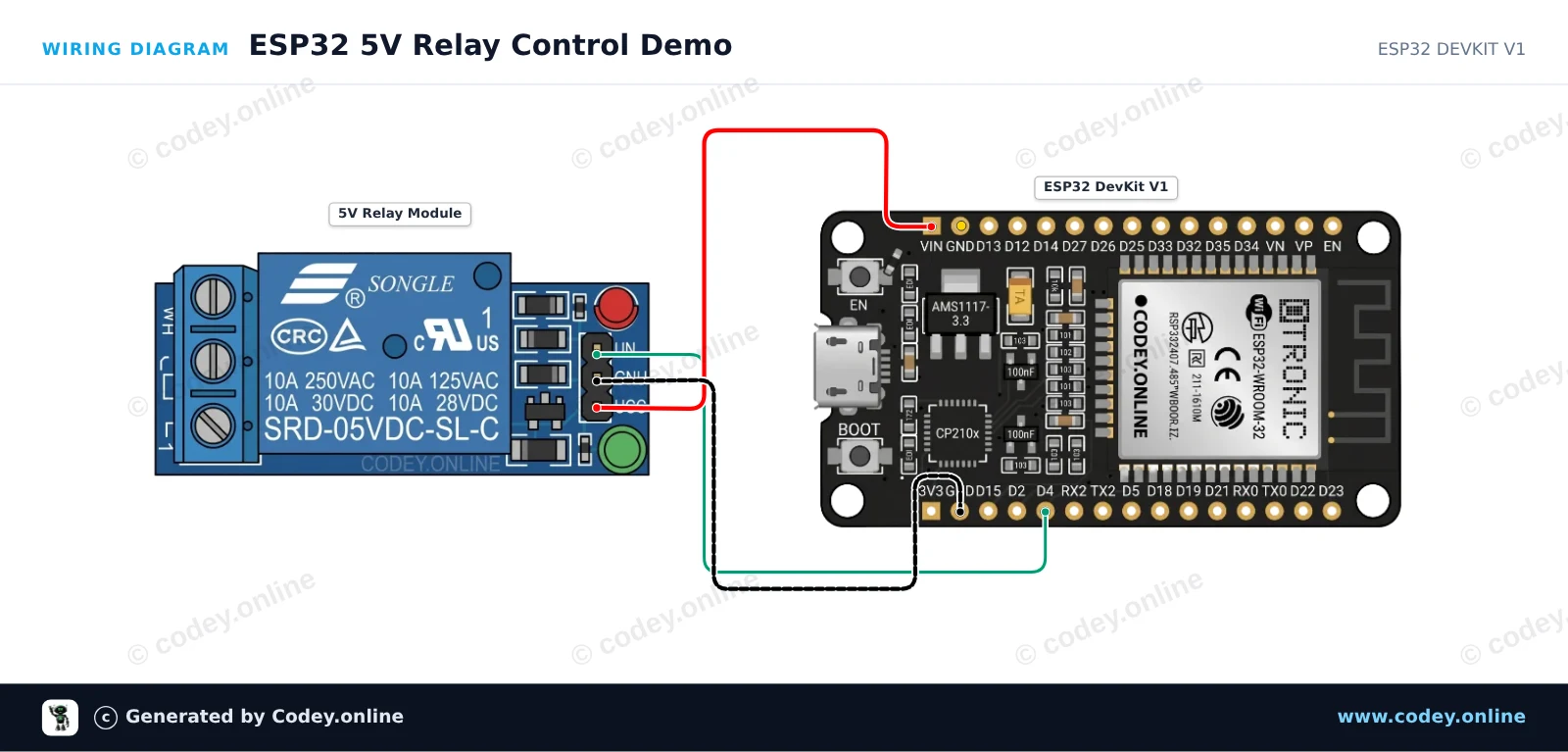
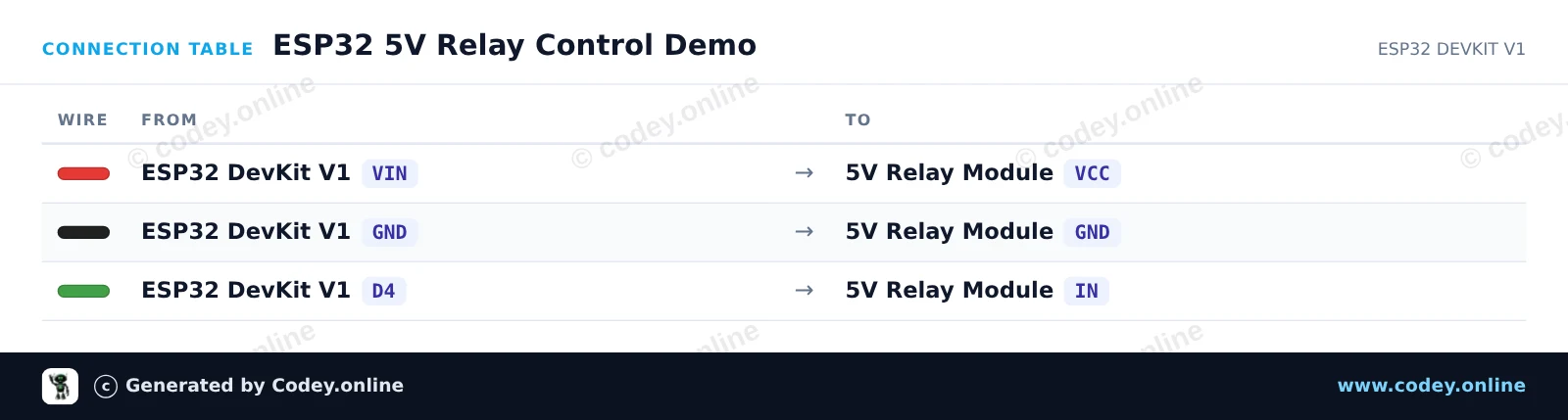
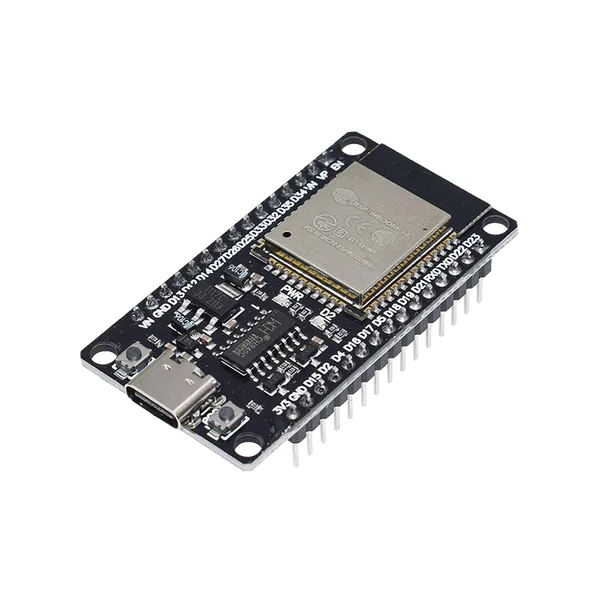
Tento příklad ukazuje, jak ovládat 5V active-low relé modul pomocí ESP32. Cívka relé je napájena z pinu VIN (5V z USB), zatímco GPIO 4 přepíná řídicí pin. Nastavení řídicího pinu na LOW relé sepne a nastavení na HIGH ho vypne.
/*
 * ==================================================================
 *  Generated by Codey.online  —  https://www.codey.online
 * ==================================================================
 *  Project   : ESP32 5V Relay Control Demo
 *  Board     : ESP32 DEVKIT V1 (esp32:esp32:esp32doit-devkit-v1)
 *  Parts     : Relais Module 5v Low
 *  Libraries : none (built-in)
 *
 *  Codey Online is an AI-powered browser IDE for Arduino and ESP32.
 *  Describe your project and Codey writes the code, draws the wiring
 *  diagram and uploads it to your board, straight from the browser.
 *  This code is free to use, modify and share, without warranty.
 * ==================================================================
 */

// Pin connected to relay IN
const int RELAY_PIN = 4;

void setup() {
  Serial.begin(115200);

  // Configure relay pin as output and start with relay OFF (HIGH = inactive for active-low module)
  pinMode(RELAY_PIN, OUTPUT);
  digitalWrite(RELAY_PIN, HIGH);

  Serial.println("ESP32 Relay Module Demo Initialized");
}

void loop() {
  // Turn relay ON (Active-low: LOW energizes coil)
  Serial.println("Relay: ON");
  digitalWrite(RELAY_PIN, LOW);
  delay(2000);

  // Turn relay OFF (Active-low: HIGH de-energizes coil)
  Serial.println("Relay: OFF");
  digitalWrite(RELAY_PIN, HIGH);
  delay(2000);
}Wiring diagram and example code generated by Codey.online — https://www.codey.online






 English
  Nederlands
  Frans
Frans  Deutsch
  Italiano
  Español
  Suomi
Suomi  Polski
  Dansk
Dansk  Ελληνικά
  Български
  Hrvatski
  Aileen